
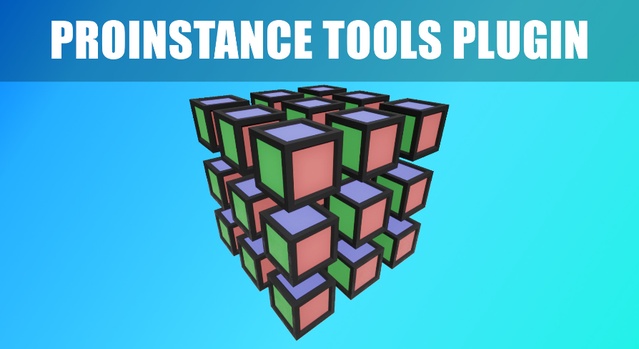
ProInstance Tools Plugin is a code plugin for Unreal Engine that controls mesh and actor placement through procedural generation. It includes 5 ProInstance types, 6 Blueprints and 6 C++ classes, and supports Unreal Engine 4.23 through 5.8.
ProInstance Tools Plugin is a lightweight set of tools for placing meshes and actors procedurally in Unreal Engine. Its settings are unified across all placement types, which keeps level and environment setup consistent. The plugin is aimed at level designers and environment artists who spend a lot of time on repetitive placement work, such as scattering props along a path, filling areas with grids or circles, or laying out vegetation and debris. Creator Dmitry Karpukhin describes the tool as a way to reduce repetitive tasks in level design. It is distributed as a code plugin with runtime and editor modules, and it is network replicated.
Specifications
| Seller | Dmitry Karpukhin |
|---|---|
| Type | Plugin |
| Category | Engine Tools |
| Engines | Unreal Engine 4.23–5.8 |
| Distribution | Code plugin |
| Formats | Unreal Engine |
| File types | .uasset, .uproject, .uplugin |
| Unreal target platforms | Android, Linux, Mac, Nintendo Switch, PS4, Windows, Xbox One, iOS |
| Blueprints | 6 |
| C++ classes | 6 |
| Network replicated | Yes |
| Licenses | Personal, Professional |
| Published | 2026-06-18 |
Key features
- Five ProInstance types: Circle, Grid, Path, PathScatter and Scatter
- Switch between Static Mesh, ISM, HISM and any Actor Class
- Snapping and alignment to the surface below
- Controlled randomization using a seed number
- Per-instance or global transform management
- Bake function converts instances to separate Static Meshes or Actor Classes
- Network replicated with 6 Blueprints and 6 C++ classes
- Demo level with usage examples included
What Is Included in the ProInstance Tools Plugin
The plugin provides five ProInstance types: Circle, Grid, Path, PathScatter and Scatter. These cover radial layouts, regular grids, placement along a spline path, scattering along a path, and free scattering across an area.
It also includes a demo level with usage examples in the ProInstanceToolsPlugin Content/Maps folder. Quick access to ProInstance types is available from a custom category in Place Mode.
The package contains two code modules, ProInstanceToolsPlugin (Runtime) and ProInstanceToolsEditorPlugin (Editor), along with 6 Blueprints and 6 C++ classes.
Unreal Engine Compatibility and Technical Specs
ProInstance Tools Plugin supports Unreal Engine versions 4.23, 4.24, 4.25, 4.26, 4.27, 5.0, 5.1, 5.2, 5.3, 5.4, 5.5, 5.6, 5.7 and 5.8. Its file types are .uasset, .uproject and .uplugin.
The plugin can switch between Static Mesh, Instanced Static Mesh (ISM), Hierarchical Instanced Static Mesh (HISM) and any Actor Class. Transforms can be managed per instance or for all instances at once, and random variation is controlled with a seed number. A bake function converts placed instances into separate Static Meshes or Actor Classes.
The Unreal target platforms are Android, Linux, Mac, Nintendo Switch, PS4, Windows, Xbox One and iOS. Development is supported on Win64, MacOS and Linux.
Use cases
- Level design placement
- Environment prop scattering
- Spline-based path layouts
- Repetitive placement automation
- Vegetation and debris scattering
ProInstance Tools Plugin FAQ
Which Unreal Engine versions does ProInstance Tools Plugin support?
The plugin supports Unreal Engine 4.23 through 4.27 and 5.0 through 5.8. Each version in that range is listed individually in the plugin data.
Which file types are included with ProInstance Tools Plugin?
The plugin uses .uasset, .uproject and .uplugin files. It is distributed as a code plugin with Runtime and Editor modules.
How many Blueprints and C++ classes does the plugin include?
It includes 6 Blueprints and 6 C++ classes. The Runtime and Editor code modules are ProInstanceToolsPlugin and ProInstanceToolsEditorPlugin.
Is ProInstance Tools Plugin network replicated?
Yes, the plugin is network replicated.
Which license options are available?
The plugin is offered under Personal and Professional licenses.