
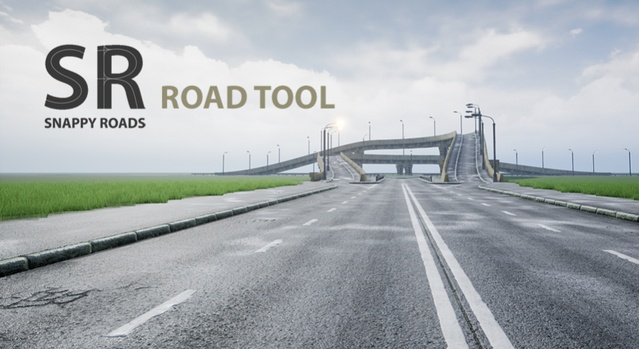
Procedural Road And Highway Tool With Simple Vehicle Traffic is an Unreal Engine game system from Test Pattern Creations that builds roads, bridges and train tracks along splines, with a traffic spawner for simple vehicle traffic. It is distributed as an asset pack with 49 meshes, 39 materials, 35 textures and 3 Blueprints.
Procedural Road And Highway Tool With Simple Vehicle Traffic is a 100% Blueprint procedural system for laying out road infrastructure in Unreal Engine. Instead of placing every road segment by hand, you draw a spline and the tool distributes road meshes along it, stretching them minimally to fit the length. The pack also includes a traffic spawner and a set of low poly road, intersection and prop meshes, so it suits open-world driving scenes, city streets, highway environments and rail routes that need quick, adjustable infrastructure.
Specifications
| Seller | Test Pattern Creations |
|---|---|
| Type | Game System |
| Category | Procedural Systems |
| Engines | Unreal Engine 4.18–5.6 |
| Distribution | Asset pack |
| Formats | Unreal Engine |
| File types | .uasset, .uproject, .uplugin |
| Unreal target platforms | Android, Oculus, SteamVR / HTC Vive, Windows, iOS |
| Meshes | 49/39/35/3 |
| Licenses | Personal, Professional |
| Published | 2025-10-06 |
Key features
- 100% Blueprint system with even distribution of meshes along a spline
- Adjustable mesh scale and minimal uniform stretching to fit spline length
- Snap checkbox for aligning roads to sockets and auto-adding roads at intersections
- Paint and deform landscape with splines, aligning spline meshes automatically
- Bake roads into static actors with HISM support
- Customizable traffic spawner with speed, car count and lane settings
- Includes 49 meshes, 39 materials, 35 textures and 3 Blueprints
- Supports Unreal Engine 4.18 through 5.6
What Is Included in the Road Tool Pack
The pack contains 49 meshes, 39 materials, 35 textures and 3 Blueprints. The extra assets are basic low poly meshes of roads, intersections and props, with multiple UVs for texturing, ambient occlusion and lightmapping. The road texture is 1024×1024 px. Additional props such as light posts, support columns and buildings can be placed along a path, each with its own custom parameters. A demo level with traffic preview and a quick tutorial video are also provided.
The Blueprint can use the included meshes or your own, so you can replace the default road sections with your project's assets.
Traffic, Vehicles and Engine Compatibility
The traffic spawner lets you set minimum and maximum speed, the number of cars and the number of lanes. Only one low poly vehicle mesh is included, and vehicles do not detect collisions at this time. A path must consist of unidirectional road splines.
The asset pack supports Unreal Engine 4.18 through 5.6, and the files are .uasset, .uproject and .uplugin. The Landmass plugin was used to create the showcase map, but it is not required for the tool to work. The listed Unreal target platforms are Android, Oculus, SteamVR / HTC Vive, Windows and iOS. The package is about 485 MB.
Use cases
- Open-world driving games
- City street layouts
- Highway and bridge scenes
- Rail and train track routes
- Procedural environment prototyping
Procedural Road And Highway Tool With Simple Vehicle Traffic FAQ
Which Unreal Engine versions does this road tool support?
The pack lists support for Unreal Engine 4.18 through 5.6, including every 4.x release from 4.18 to 4.27 and every 5.x release from 5.0 to 5.6.
Which file formats are included?
The files are .uasset, .uproject and .uplugin, in the Unreal Engine format.
Does the pack include vehicles with collision?
Only one low poly vehicle mesh is included. Vehicles do not detect collisions at this time.
Which license options are available?
The asset is offered under Personal and Professional licenses.
Is the Landmass plugin required?
No. Landmass was used to create the showcase map, but the tool works without it.