
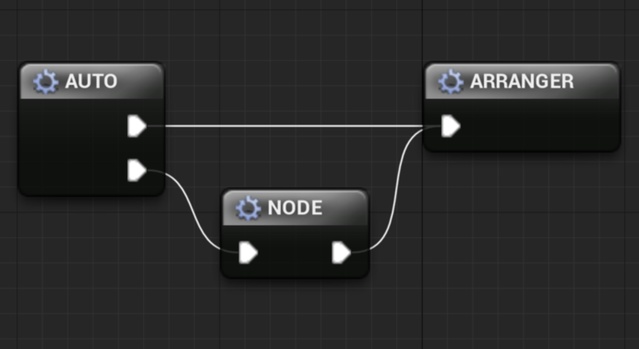
Auto Node Arranger is a code plugin for Unreal Engine that automatically arranges graph nodes in the editor, with three arrange modes and customizable spacing across all graph types.
Auto Node Arranger is an editor plugin for Unreal Engine that tidies up graph nodes so they are laid out the way you want. It works across all graph types and supports comment arrangement, letting you organize large graphs without moving nodes by hand. The plugin is distributed as a code plugin with editor-only modules, so it is aimed at developers and technical artists who work inside the Unreal Editor and want faster, more consistent graph layouts.
Specifications
| Seller | bstt |
|---|---|
| Type | Plugin |
| Category | Automations |
| Engines | Unreal Engine 4.22–5.8 |
| Distribution | Code plugin |
| Formats | Unreal Engine |
| File types | .uasset, .uproject, .uplugin |
| Unreal target platforms | Linux, Mac, Windows |
| Licenses | Personal, Professional |
| Published | 2026-08-03 |
Key features
- Arranges graph nodes automatically in the Unreal Editor
- Three arrange modes: Straight, Center and Compact
- Customizable node spacing
- Supports all graph types and comment arrangement
- Select connected graph and auto generate loop reroute nodes
- One-hand shortcuts enabled by default
- Supports Unreal Engine 4.22 through 5.8
Auto Node Arranger Features and Arrange Modes
The plugin arranges graph nodes in three modes: Straight, Center and Compact. Spacing between nodes can be customized, so the layout can match your preferred density.
Auto Node Arranger can select all nodes connected to a graph, automatically generate loop reroute nodes, and register all nodes. Arrangement works on comments as well as nodes, and one-hand shortcuts are enabled by default.
The creator notes that the beta arrangement, the beta reroute arrangement and the ability to disable the beta arrangement are all available in the current release.
Unreal Engine Version Support and Installation
Auto Node Arranger supports Unreal Engine versions 4.22 through 4.27 and 5.0 through 5.8. It is distributed as a code plugin with the Editor code module, and it builds for Win64, Win32, Mac and Linux target platforms.
The package includes .uasset, .uproject and .uplugin files. Since it is a code plugin, it needs to be compiled with your project, so check that your engine version matches the versions listed above before installing.
License options are Personal and Professional.
Use cases
- Blueprint graph cleanup
- Material graph organization
- Editor workflow automation
- Large node graph maintenance
Auto Node Arranger FAQ
Which Unreal Engine versions does Auto Node Arranger support?
Auto Node Arranger supports Unreal Engine 4.22 through 4.27 and 5.0 through 5.8. Check that your engine version is in this range before installing.
Which file types are included with Auto Node Arranger?
The plugin includes .uasset, .uproject and .uplugin files. It is distributed as a code plugin with an Editor code module.
Which platforms can I build a project with Auto Node Arranger for?
The Unreal target platforms are Windows, Mac and Linux. The development platforms listed are Win64, Win32, Mac and Linux.
Which license options are available for Auto Node Arranger?
Auto Node Arranger is available under Personal and Professional licenses.