
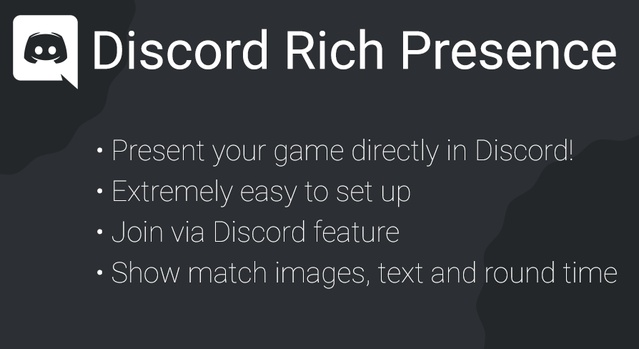
Discord Rich Presence is an Unreal Engine plugin by Jonathan Verbeek that adds a Blueprint interface for setting Discord Rich Presence, so games can show status details on a player's Discord profile.
Discord Rich Presence is a code plugin for Unreal Engine that lets a game show live information in a player's Discord user panel, such as the current map, player count and game mode. The plugin is built for developers who want to add this social feature without writing networking or SDK code from scratch. It is distributed as a code plugin with a DiscordRichPresence runtime module and works with Unreal Engine 4.26 through 5.2 on Windows. Its Blueprint nodes make it accessible to designers and developers who prefer visual scripting.
Specifications
| Seller | Jonathan Verbeek |
|---|---|
| Type | Plugin |
| Category | Engine Tools |
| Engines | Unreal Engine 4.26–5.2 |
| Distribution | Code plugin |
| Formats | Unreal Engine |
| File types | .uasset, .uproject, .uplugin |
| Unreal target platforms | Windows |
| C++ classes | 2 |
| Network replicated | No |
| Licenses | UE Marketplace License |
| Published | 2024-10-15 |
Key features
- Blueprint API for integrating Discord Rich Presence without C++
- Set text, images, round time and party or lobby sizes
- Hook up Join and Spectate buttons to notify the game
- Initialize with a Client ID and update with Set Activity or Clear Activity
- DiscordRichPresence runtime module with 2 C++ classes
- Supports Unreal Engine 4.26 through 5.2 on Win64
What the Discord Rich Presence Plugin Includes
The plugin adds a Blueprint API for setting Discord activity from within the game. Developers can set text, images, round time and party or lobby sizes that appear in Discord's user panel. The plugin also lets developers hook up the Join and Spectate buttons in Discord so they notify the game.
The package contains two C++ classes in the DiscordRichPresence runtime module and no Blueprint assets. Setup requires creating a Discord Developer App and entering the OAuth2 redirect, then calling Initialize Discord with your Client ID at game startup.
Engine Compatibility and Setup Requirements
Discord Rich Presence supports Unreal Engine 4.26, 4.27, 5.0, 5.1 and 5.2. It is delivered as a code plugin with .uplugin, .uproject and .uasset files, and it targets Windows (Win64) for both development and build.
The creator notes that since the 2.0 update, the Discord SDK binaries must be downloaded separately, and the plugin uses the Discord Game SDK. The creator also offers documentation, a German tutorial and an example project.
Use cases
- Multiplayer game status display
- Lobby and party presence
- Discord join and spectate invites
- Unreal Engine social features
Discord Rich Presence FAQ
Which Unreal Engine versions does Discord Rich Presence support?
The plugin supports Unreal Engine 4.26, 4.27, 5.0, 5.1 and 5.2. Supported development and build platforms are Win64 only.
Is Discord Rich Presence available in Blueprint?
Yes. The plugin provides a Blueprint interface, including Initialize Discord, Set Activity and Clear Activity nodes. It contains 2 C++ classes in its runtime module and no Blueprint assets.
Does Discord Rich Presence require a Discord Developer App?
Yes. You need to create a Discord Developer App and set the OAuth2 redirect, then enter your Client ID when initializing the plugin. The creator also notes that the Discord SDK binaries must be downloaded separately since the 2.0 update.
Is Discord Rich Presence network replicated?
No. The plugin is not network replicated, so activity updates are not replicated across the network by the plugin itself.