
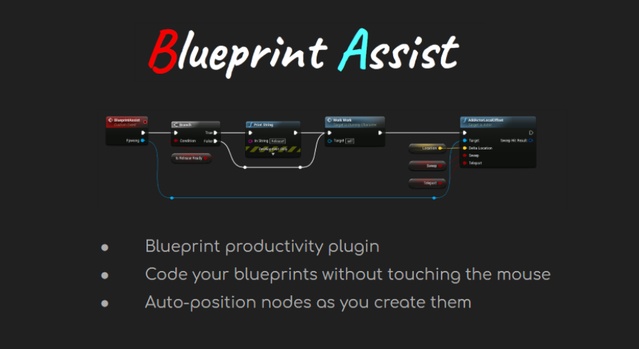
Blueprint Assist is a code plugin for Unreal Engine that automatically formats Blueprint graph nodes as they are placed and adds keyboard shortcuts for node creation and editing. It supports Unreal Engine 4.20 through 5.8.
Blueprint Assist is an editor tool for developers who build gameplay logic in Unreal Engine Blueprints. Rather than adding content to a scene, it improves how the Blueprint graph editor works, helping keep large graphs readable and speeding up node work. It is listed in the Engine Tools category and is distributed as a code plugin, so it installs into the engine's Plugins folder alongside your project. Its features apply to any Blueprint-based project, from small prototypes to large gameplay codebases.
Specifications
| Seller | fpwong |
|---|---|
| Type | Plugin |
| Category | Engine Tools |
| Engines | Unreal Engine 4.20–5.8 |
| Distribution | Code plugin |
| Formats | Unreal Engine |
| File types | .uasset, .uproject, .uplugin |
| Unreal target platforms | Linux, Mac, Windows |
| Licenses | Personal, Professional |
| Published | 2026-10-15 |
Key features
- Automatic node formatting when nodes are placed on the Blueprint graph
- Keyboard shortcuts for all node creation and modification functions
- Shortcuts rebindable under Blueprint Assist Commands in Keyboard Shortcuts
- Settings available in Editor Preferences under Plugins
- Supports Unreal Engine 4.20 through 5.8
- Code plugin for Linux, Mac and Windows target platforms
- Additional quality-of-life features and improvements
What the Blueprint Assist Plugin Does
The plugin runs a node formatting algorithm whenever a node is placed on the graph, so nodes are positioned automatically and stay readable as the Blueprint grows. It also adds keyboard shortcuts for all node creation and modification functions that were previously only available through the right-click menu.
The creator also includes a range of additional quality-of-life features and improvements. The plugin does not handle comment nodes, and the creator recommends pairing it with the free AutoSizeComments plugin to cover that gap.
Unreal Engine Compatibility and Installation
Blueprint Assist is a code plugin built for Unreal Engine versions 4.20 through 5.8, including every 4.x release from 4.20 to 4.27 and every 5.x release from 5.0 to 5.8. It supports Linux, Mac and Windows target platforms and ships as .uplugin files with .uasset and .uproject files.
After installation, settings are found under Editor Preferences, then Plugins, then Blueprint Assist. Keyboard shortcuts can be rebound under Editor Preferences, General, Keyboard Shortcuts, in the Blueprint Assist Commands section.
Use cases
- Blueprint-heavy gameplay logic
- Large Blueprint graph cleanup
- Unreal Engine editor workflow
- Team Blueprint readability
Blueprint Assist FAQ
Which Unreal Engine versions does Blueprint Assist support?
Blueprint Assist supports Unreal Engine 4.20 through 5.8. The listed versions include 4.20 to 4.27 and 5.0 to 5.8.
Which file types are included with Blueprint Assist?
The plugin uses .uasset, .uproject and .uplugin files. It is distributed as a code plugin for Unreal Engine.
Which platforms can a project using Blueprint Assist be built for?
Unreal target platforms are Linux, Mac and Windows.
Which license types are available for Blueprint Assist?
Blueprint Assist is offered under Personal and Professional licenses.
Does Blueprint Assist handle comment nodes?
No, the plugin does not handle comment nodes. The creator suggests using the free AutoSizeComments plugin alongside it for that purpose.